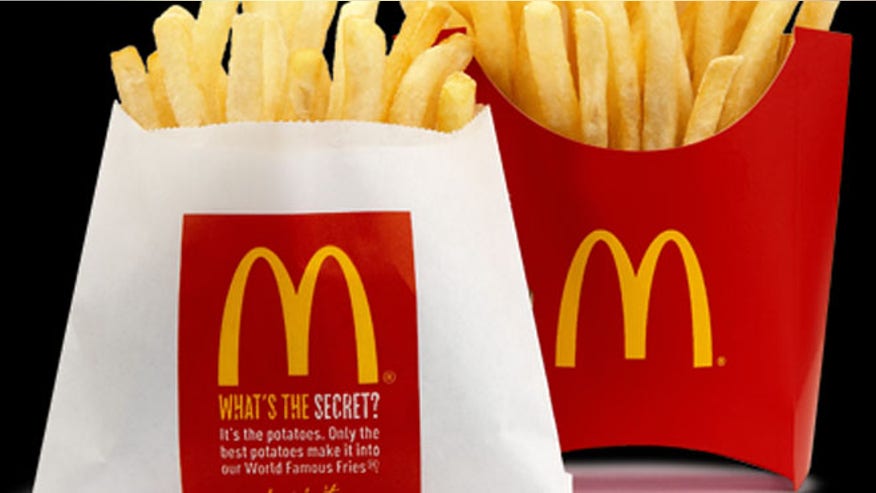
Are you sick and tired of having your fries stolen when you're not looking? Those hot, yummy, slightly salty, slim strips of potato that go so well dipped in rich, tomato-y ketchup. They're the ideal companion to your Big Mac and apple pie.
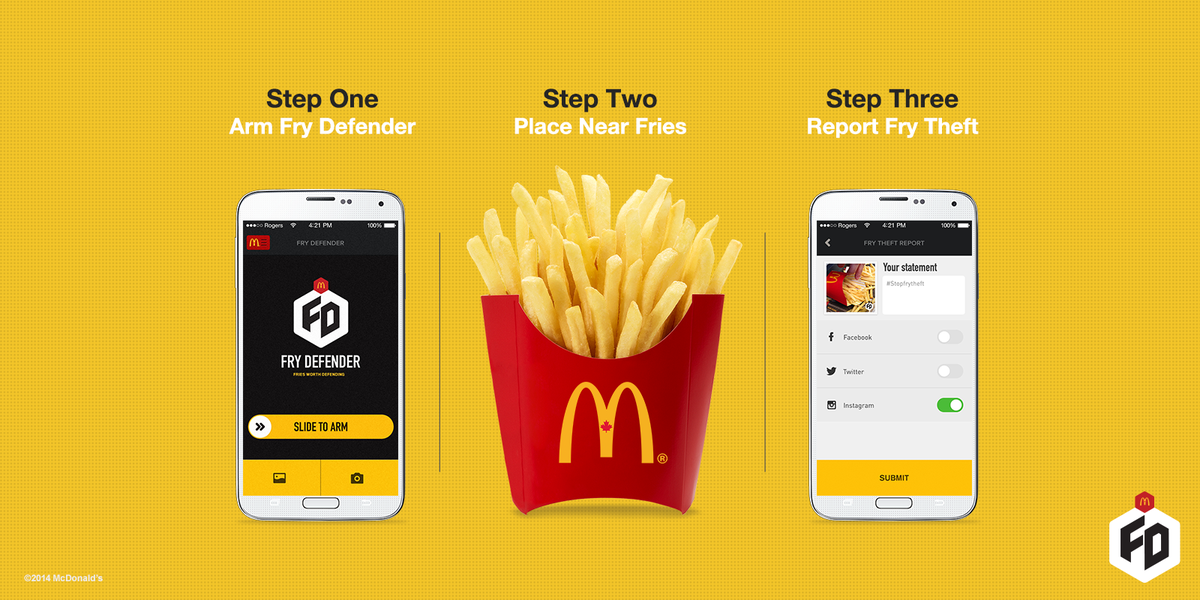
To prevent more of these "frimes" or fry crimes from happening, you need to get the Fry Defender because fries are so worth defending. Too many people are being impacted annually by the theft of their fries. In 2014, McDonald's Canada created this ingenious mobile marketing campaign. They came up with the idea from social listening. Many people were saying that they loved McDonald's fries, but other people were constantly stealing them. So the Fry Defender was invented.
I like going to McDonald's, and I too, am tired of my fries being taken without my knowledge. I thought that this was a great campaign. The Fry Defender works using cutting edge motion detector technology and your smartphone's camera. You download the app and put your phone right next to your fries. "Arm" the app anytime you step away from your fries. The app taps the phone's camera and sensors. When movement is detected, an alarm goes off. Photos of the "thief" are taken until the phone is disarmed. The photos can be posted to Facebook or other sites so everyone can see who the thieves are. The results of the campaign were:
12,000,000 organic impressions
1,000,000+ video views
288% increase in McDonald's Canada app downloads
80% positive social sentiment
This mobile marketing campaign was interesting, smart, clever, funny and most of all, interactive. Campaigns that are unusual and original are more likely to attract people
to buy their product or patronize their business. Consumers will remember a company when their campaigns are different. Also, it makes a huge difference when people are given the chance to interact with something.
Countless french fries have been saved thanks to the Fry Defender!
It has been said that a picture is worth a thousand words, but how much is a video worth? It could be priceless if it has the right components to make your business stand out in front of the others. Video marketing is a tactic that every business owner should consider. This form of marketing is effective for increasing sales and brand recognition, and it is also preferred by customers. Most people would rather watch an informative video about your business than read a long page of text. An informational online video for your business is a great tool to convert interest into sales and grow your brand on the web. A video ad has to engage viewers and reach the right audience to be successful. Online videos are a very strong and tactful tool when trying to reach and relate to your target audience. If it is done well, it can have a huge effect on the success of your business. The first step is to define your target audience and being aware of your end goal will ensure proper flow and execution as you research and build your video. These are some ideas to create the ideal video for your business:
Plan it out. Planning is a very crucial step because it determines the effectiveness of the video and how the video should be delivered. If proper planning isn't done, it will reflect in your script as well as the final video output. Another reason for planning is that it takes some time and effort to correct any errors. Correcting a mistake during production and after it has been published involves additional costs. Most mistakes in video production usually occur as a result of improper planning.
6. Call to action. Include a call to action which is an important part of the video. The goal of the video is to encourage people to take some sort of action. The call to action can either be filmed or added through graphics and text. It's best to add the call to action at the end of the video. You can show viewers how they can visit your website for more information, sign up for a newsletter, or purchase your products and services.
7. Choose a platform. Videos create impact and generate lasting presence and can reach thousands of potential customers. It's important to upload the content to a quality platform. Use all social media outlets to reach your target audience. The platforms make it easy to monitor and track the coverage and interaction of your video as well as link viewers back to your website.
Online videos can offer a lot of value to businesses of all sizes. Small businesses in particular have discovered that videos can boost awareness, website traffic and sales in a cost-effective, budget-friendly way.
Whew! I created my very first website and the experience wasn't as difficult as I thought it would be. With the help of Weebly, I was able to come up with a website that I liked. Weebly made it easy to construct the site with its drag and drop features. Everything just fell into place without any problems. If I didn't like what was there, it was so simple to delete it. There were so many themes to choose from and I was fortunate to find one that was applicable to my idea. I also liked the selection of fonts that were offered. I was able to find the font that matched my theme. The instructions for inserting a slideshow and a video were extremely simple to understand, and I was successful with putting both of these features into my website. Naturally, the only time consuming part was doing the research and finding the images and video that I needed to complete my site. As this was my first website, the experience of creating one was pretty good and it was fun. Using Weebly was great!
If anyone is deciding if they should create a website of their own, they should go for it. If you find the right web host that will fit your website idea, then it will be easy for you to come up with a website that you like. All you need is to come up with an idea or purpose for your site. Do the necessary research and plan out what you want to include on your website. Check out this article called How to Make/Create a Website: The Beginner's A-Z Guide for any assistance. This guide is very thorough in explaining everything that you will need to make your own website. It takes you step-by-step through the process and includes a lot of links to make creating your website so easy that you'll wish you had done this before. Anything you can think of is covered in this article and it will probably answer all of your questions. Another great article to read is 5 Days to Building a Personal Branding Website You'll Love.This article helps you to decide what kind of content you want to put on your site. It gives lots of great suggestions to help you with creating a site, developing your brand, and the most important thing, promoting your website. If you're serious about creating your own website, this is a must-read article. Have a good time creating your very own website!
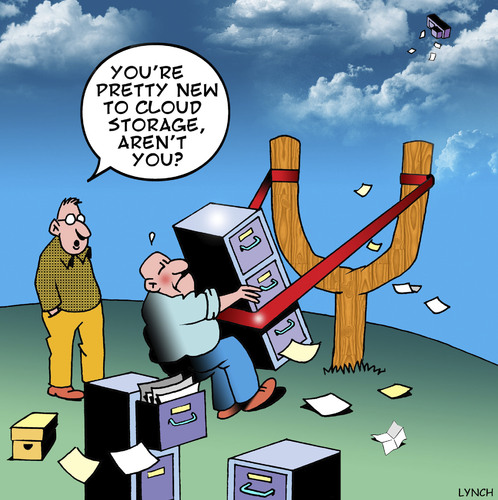
Hard drives are becoming like the pieces of chocolate that no one wants to eat in the box of assorted chocolates. More people are seeking ways to store their information on the cloud, as local storage is seen as more inclined to fail than the cloud. Cloud storage is becoming more popular as reliable and better internet speeds are becoming the norm, even on mobile devices. Cloud storage is a very easy and handy way to keep your data backed up, synced between computers and accessible from anyplace at anytime. Your documents can be stored and even edited while you are on the go. You can easily share documents with other people as long as they are using the same service. Any type of document can be shared with friends or co-workers. It is safe and secure because the service provider tends to the backup and recovery with multiple levels of security and an encryption system that keeps the data protected and intact. Also, you can receive storage at no cost or at a very low price when you are in need of more space. This lessens your expenses drastically when compared to purchasing and maintaining a local server or hard drive. The startup process is extremely easy. Choose your cloud storage service, go to their website, select the plan that fits your needs, and then sign up. Fill in all of the required information, verify your email (if necessary), and then you are done. You can start uploading your documents immediately. Selecting a cloud storage service is a little more difficult because there are so many services that are available to you. Today, let's learn about Google Drive and OneDrive.
GOOGLE DRIVE Technical factors: 1) File size restriction: 5TB 2) Free storage space: 15GB 3) Earn extra free storage? No 4) Paid plans: $2/a month for 100GB $10/a month for 1TB This service was launched in 2012, and is one of the most widely used cloud storage services. It is also one of the most cheapest services out there. You can access Google Drive through your Google account. You can prepare spreadsheets, documents, presentations, and more and can edit them over the internet. Any changes you make are immediately saved on Google Drive. You don't need any special devices to reach Google Drive. As long as the device is connected to the internet, you can use your account when you need it. Sharing files (irregardless of size) is simple if a specified group is given editing permission. Effortless integration with other Google apps can help you easily open your documents stored on Google Drive. Bulky email attachments are a thing of the past because you can send the link to Google Drive and your messages will be forwarded to you. I think this site is extremely easy to use. Everything is on the page in front of you and you don't really have to search around for everything. It's kind of self-explanatory. I don't think that there is anything that I dislike about Google Drive. ONEDRIVE Technical factors: 1) File size restriction: 10GB 2) Free storage space: 15GB 3) Earn extra free storage? Yes If you refer 10 people, you'll receive 500MB per referral for a maximum limit of 5GB. Also, you can get an extra 3GB by switching on the automatic camera uploads in the mobile apps. 4) Paid plans: $2/a month for 100GB $4/a month for 200GB $7/a month for 1TB This service was launched in 2007 under a different name. It's current name is OneDrive. This service supports Office Online which allows you to store MS Office documents in the cloud and lets you edit them from your web browser. People that already have Windows 8 and 8.1 will also have OneDrive in their operating system. Editing photos and other documents from OneDrive on all of your Windows applications are easy. You can also work on documents with other people who have Office apps and actually see edits being made by others. OneDrive is compatible with all kinds of devices and operating systems. It has easy file-sharing along with a simple user interface. It is one of the most flexible cloud storage services for storing, syncing, and sharing files. I think that OneDrive is easy to use, but I didn't like the login sequence. I also think that the site is very plain and boring. Personally, I don't think that I would use this cloud storage service.
So, which cloud storage service is best for you? Obviously, it can be overwhelming. It depends on your priorities and figuring out what you need in a cloud storage service. All of these services have different features that should meet your requirements. If it doesn't, then choose another one that will make you feel secure in knowing that your documents are stored in a safe place. As for myself, I prefer Google Drive. It's simplistic, and I don't have any problems trying to find what I need. I like having Google Calendar to keep track of any appointments or events that I need to remember. I can even write down my homework so I know when it is due. I also like the idea of being able to create your own custom maps. The auto saving of your document is one of the great things about Google Drive along with searching for something just by its name. Google Drive would be my favorite cloud storage service.
Let's go for a ride in my automobile. After the stop sign, we'll turn right on Google Drive to discover a few of its user-friendly features. Google Drive is so many things in one. It is a cloud-based file storage platform, a file creator tool, and a place where you can share and team up with other users. This strong combination is especially useful, and the fact that Google came up with so many other tools like email, a calendar, and contacts makes full integration so easy.
Let's say that you're typing an important document. It could be a college paper or a contract for work. You leave your computer for a moment to answer the phone, or take the dog out for a restroom break. Suddenly the electricity goes out and the very important document that you were working on disappears. You break out into a cold sweat and start to hyperventilate. Don't worry! Google Drive automatically saves your file as you are typing it. When the lights come back on, you can continue where you left off without having to start all over again. Auto Save is a great lifesaving feature.
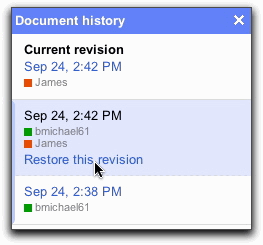
Anytime you type a document and make changes on it, Google Drive will keep a history of your revisions. If you change your mind about something, you can go to the document history to look for that specific document. If you want to keep those changes, you can restore your revisions without having to retype the document from scratch. This really helps to save time and stress.
Putting your documents into folders help to keep you organized. But if you are looking for a specific document, message or photo, it is easier to search by name instead of trying to remember exactly which folder you stored it in. Just type in the name of whatever you are looking for and Google Drive will search for it. Another time saving feature.
Google Docs is the most conventional way to collectively upload, share, and edit documents. There is also a feature that allows a legally binding e-signature to be added to documents, hastening their approval. Another great feature is that parts of shared documents can be password-protected so that only those people who are approved to see them can while still letting others to see most of the document. Here are some websites where you can get more information about other special features that are included in Google Drive. There is a blog post for Google and some unusual things that Google Drive can do. Also, there are driving tips and how to organize your life. Enjoy using Google Drive!
Writing a good blog post involves having several things: A point to it, images and pictures, and even unique content for your post.
With every article written or every story made, there's a point, whether it's to showcase an event or to show something that's upcoming, there is a reason for it. Your posts should have a reason for being written, as well as a demographic you're trying to reach. If you have no place you're trying to reach, then your post will just be filled with rambling. To make your posts effective, you must have a point to it.
Images and pictures make blogs interesting, and they also appeal to the readers. It makes the blog seem more lively and colorful, and everyone loves a little color. By using pictures and images related to your post, you'll be able to portray examples or ideas better than if you were to do so without any.
Blogs don't always heavily rely on pictures and images, but they help show a point(like said previously), and it really helps a lot.
By making unique content of your own, it shows your skills and expertise as a blogger and also shows that you know how to do seemingly complicated things. Your content may also bring in lots of readers who like that kind of content that you create, and may even share it around to their friends and family. Custom content may also be helpful with getting a point across too, and like with images and pictures.
I also used this article as an effective blog too because it puts together a well written post, along with pictures. It easily conveys what they wanted to cover and also point out their reasoning for creating such a post. The blog points out 8 objectives that every blog should follow at least somewhat, and it helps with creating your effective blog.